The RevList by Revlis
7 Fitness Instagram Reel Ideas That Make Your Advice Easier to Follow
These seven visual Reel formats help fitness creators make workouts, food tips, rankings, and coaching lessons easier to follow.
If you are a fitness creator, coach, or personal trainer, you may be posting useful advice that still gets skipped. You explain a workout mistake, meal choice, or training plan to the camera. You add captions, cut in a few gym clips, and the Reel still feels flat. People can hear the lesson, but they cannot always see what you mean.
Most lists of fitness Instagram Reel ideas give you topics such as workouts, food tips, or common mistakes. That can help you choose what to talk about, but it does not tell you how to show the idea. This guide breaks down seven visual formats found in real fitness and food outlier posts. Each one gives the viewer something useful to watch while you teach.
Start with the fitness lesson, not the Reel trend
Before you choose a format, ask, "What does someone need to see to understand this?" They may need to compare two exercises, follow a weekly plan, watch a ranking fill up, or see why one choice earned a higher score. Once you know what the viewer needs help seeing, choosing the video becomes much easier.
For example, you can tell a beginner that one workout plan has too many exercises. But if you place the two plans next to each other, the viewer can count the difference. You could also build the longer plan with sticky notes, one exercise at a time, so people watch it become too much.
We found the seven ideas below while studying Jessie Schramm’s outlier posts in Revlis. Her posts focus on fitness and food. We are studying how she shows each lesson, not treating the posts as health advice. This blog is part 1 of many for fitness creators.
1. Show two choices at the same time
Use a two-sided screen when your fitness lesson is about a clear difference. Put one short label on each side, then bring in one exercise, food, habit, or plan at a time. The viewer can see where each item belongs without trying to remember a long list.
In this two-sided Reel, two labels stay at the top while food images appear under them. Each food has a clear place. The creator gives a reason and then moves to the next item. We are studying the setup, not using the post as health advice.
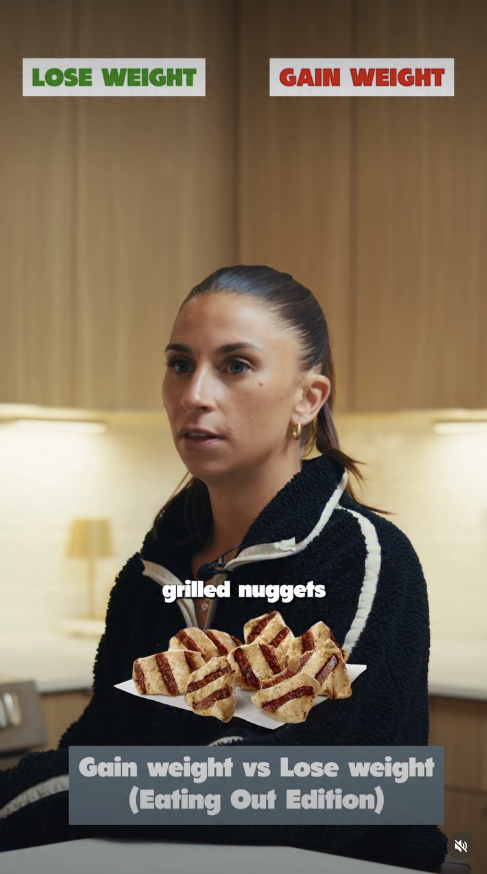
A personal trainer could compare a beginner exercise with a harder version. A fitness coach could show a home workout next to a gym workout. A nutrition creator could compare two snack choices using one clear rule. Keep the labels short enough to understand before the first item appears.
2. Let people watch a ranking fill up
A ranking chart works when you have several choices and want to put them in order. Start with an empty chart that has clear levels. Show one item, explain your choice, and move it into a level. Keep doing that until the chart is full.
In this tier-list Reel, the first food appears right away. The creator explains where it belongs and places it in the chart. The next food starts the same steps again. The chart helps the viewer keep track of every choice.
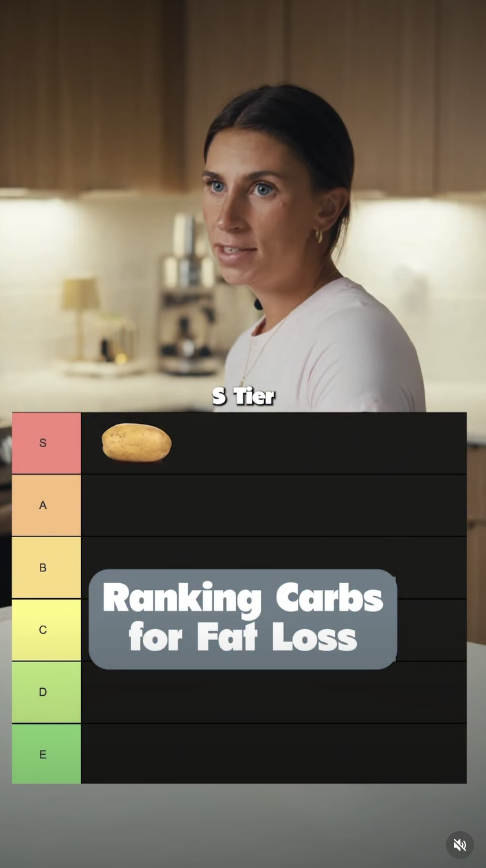
A fitness creator could rank squat options for beginners, common gym warmups, or low-cost workout tools. Tell people what the levels mean before you start. The top level might mean easiest to learn, most useful in a small space, or best for a certain goal. Use the same rule for the full Reel so the ranking makes sense.
3. Use objects to show a hidden idea
Some fitness lessons are hard to show because they happen inside the body or build up over time. Props can give each part a shape. You can move the objects while you explain what is happening, so the viewer has something clear to follow.
In this prop video, dolls, bowls, food items, and notes stand for people and choices. The objects let the viewer watch the example happen. We are only looking at how the creator shows the idea. The health claim would need its own fact check.
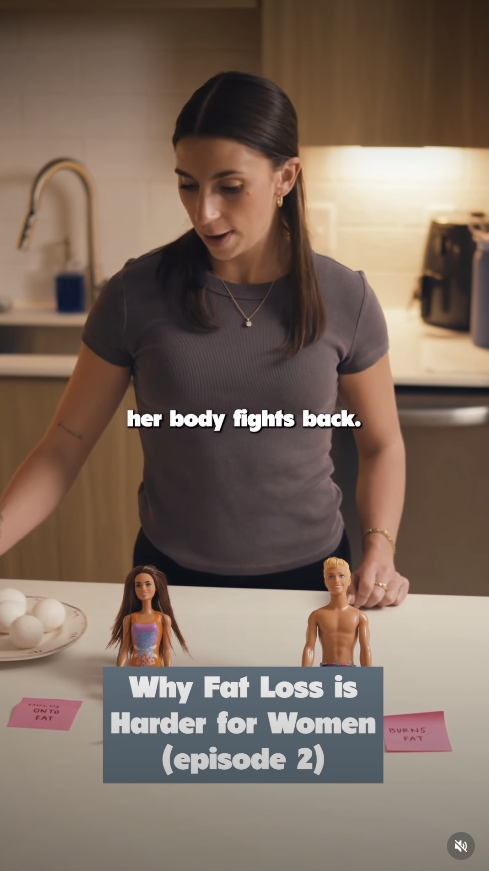
You do not need fancy props. Blocks can show how training sets add up during a week. Index cards can stand for parts of a workout plan. Small objects can show how several daily choices build toward one larger result. Tell the viewer what each object means, and keep that meaning the same for the full video.
4. Build the answer one part at a time
Use a sticky-note build when the fitness lesson has steps or parts that connect. Start with an empty board, wall, or table. Add one note as you explain each part. At the end, the viewer can see the whole plan instead of trying to remember every step you said.
In this sticky-note Reel, the creator uses different colors for different parts of the lesson. Each note adds new information. The finished board shows how the pieces fit together. Again, we are studying the visual setup and not checking the health claim in this article.
A personal trainer could build a three-day workout plan one day at a time. A running coach could map the parts of a race week. A nutrition coach could show how several meals fit into one prep plan. Keep the words large and short so people can read every note on a phone.
5. Give each choice a score
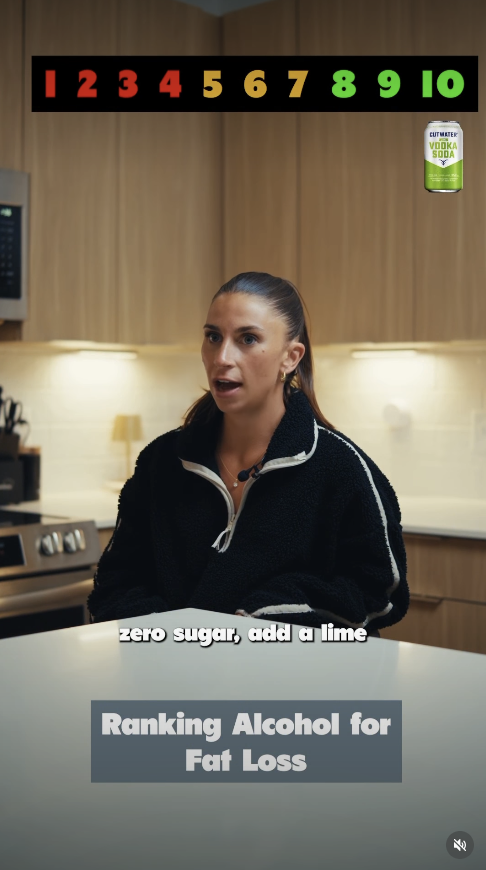
A score works when every choice needs to be judged by the same rule. Keep the scale on screen while each new item appears. Give the item a number and explain why it got that score. The viewer can compare it with the items that came before it.
In this scoreboard Reel, the one-to-ten scale stays where people can see it. Each drink gets a score and a short reason. Even if someone starts watching in the middle, the scale helps them understand what the video is doing.
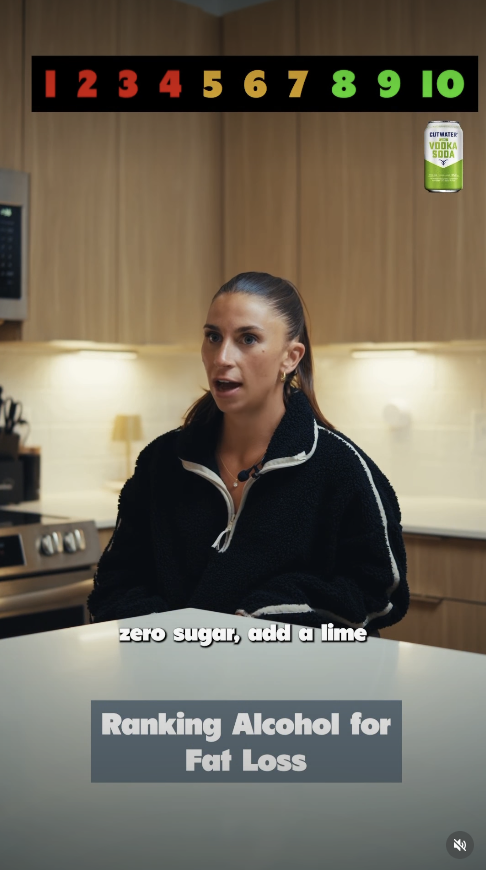
The number needs a clear meaning. A personal trainer could score exercise options by how easy they are for a beginner to learn. A gym owner could score small pieces of equipment by price, space, or how often members use them. Tell people what makes a score high or low, and use that same rule for every item.
6. Let several choices compete in a bracket
A bracket is useful when the lesson ends with one winner. Put two choices against each other and pick one. Move the winner into the next round, then repeat the steps. The viewer can choose along with you and see if their favorite reaches the end.
In this bracket Reel, drink choices move through several rounds until one remains. The bracket shows how far the video has gone and what choices are left. We are studying the format, not telling people which drink is healthy.
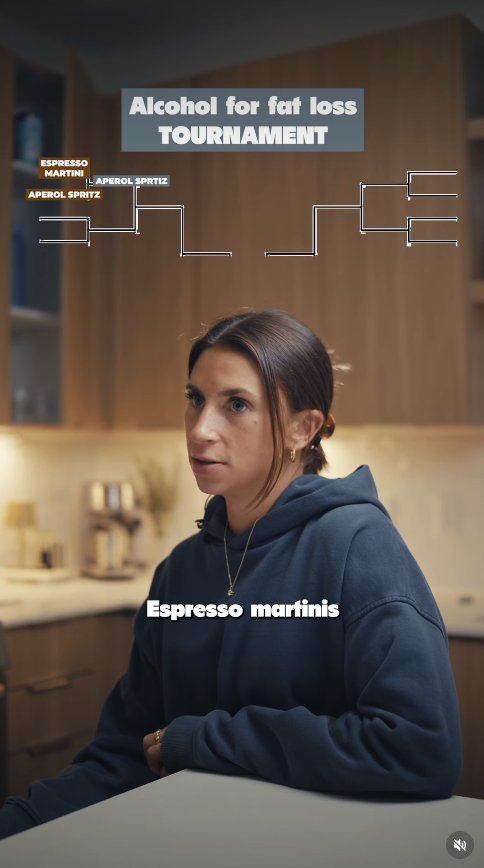
You could use a bracket for workout styles, exercise choices, gym machines, meal-prep options, or fitness tools. Pick one rule for choosing each winner. If price matters in one round and your personal favorite matters in the next, the final winner will not mean much.
7. Show every item in a useful list
If you are giving people a list of products, tools, or examples, show each one. You can hold the item, add a clear photo, or put its name on screen. Give one reason why it made the list before you move on. This keeps the viewer from trying to remember a group of names they only heard once.
This list Reel shows drink choices with pictures, words, icons, and a notebook. Each new item is easy to spot. The format tells the viewer that another choice is coming. As with the other examples, we are studying the way the list is shown.
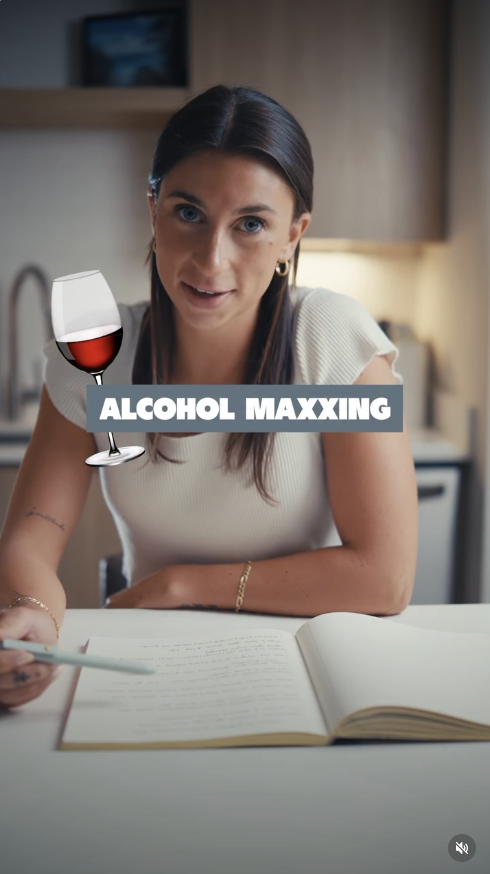
Make the list solve one clear problem. "Five fitness products I like" does not tell people why they need the list. "Five low-cost home workout tools for a small apartment" tells us who the list is for and what the list will help them do. Add details about cost, skill level, workout goal, or available space when those details change the answer.
How can fitness creators reuse the same topic?
You do not need a brand-new fitness topic every time you post. The same question can become several Reels when each video shows a different part of the answer. Take the question, "How should a beginner start strength training?" One Reel could compare home and gym options. Another could build a simple week with sticky notes.
You could also rank beginner exercises, score basic equipment, or make a list of common first-week mistakes. These fitness content ideas begin with the same question, but they do not teach the same lesson in the same way. Choose the format that fits the part you want to explain today.
Use Revlis to study how other people show a lesson
When you save a strong fitness Reel, note what helped you understand it. Was it the two sides, the chart, the objects, or the order of the steps? A note like "the objects made the weekly plan easy to see" is much more useful than "make one like this." Revlis helps you look at the video style, hook, topic, order, message, and other parts on their own. You can choose the part you want to test and bring it into the Laboratory. Then you add your own audience, teaching, examples, and what you want to say before you make the script.
Choose one fitness Reel idea to test this week
Choose one fitness lesson that has been hard to explain in a talking video. Find the part that people need to compare, count, follow, or see. Then choose one format from this guide and put that part on screen. Keep the rest of the Reel simple.
You are giving people a clearer way to understand your workout, food, or coaching advice. When the visual helps teach the lesson, the viewer has a reason to keep watching beyond the first line.
Turn psychology into content that converts.
Explore the platform behind The RevList and start building smarter campaigns.