Plan content around strategy, not just dates.
Organize every post around the pillars, audiences, and value props that drive results. Your calendar isn't a grid of dates, it's your strategy made visible.
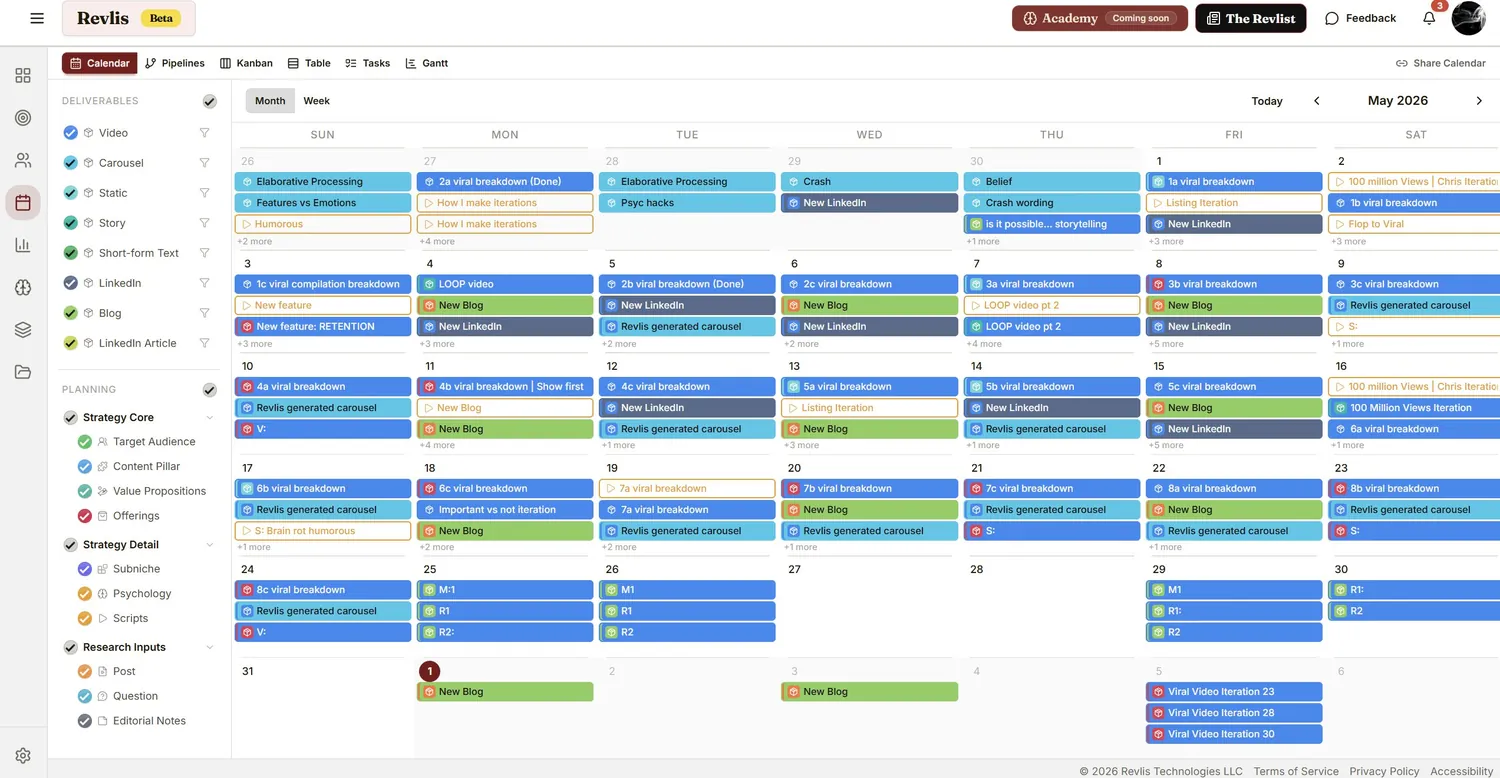
What is content layering?
Content layering is stacking strategic inputs onto a single planned slot. Instead of one idea per post, you combine layers from your strategy and research, and Revlis treats that combination as the brief.

One focus question plus one audience is an instant idea. Layer them, and one idea becomes a month.
Write scripts directly from the calendar.
The calendar isn't where ideas wait, it's where scripts get made. Open any slot in the Laboratory and write straight from your audience and the real questions they're asking.
Select your layers on the slot: audience, pillar, question, value prop.
Open the Laboratory with all that context pre-loaded.
Generate a script built around who you're talking to.
Edit it to sound like you. The AI is the starting point.
The script auto-attaches back to the slot it came from.
See your content the way you think about it.
The same strategically-planned content, shown six ways. Switch instantly between them.
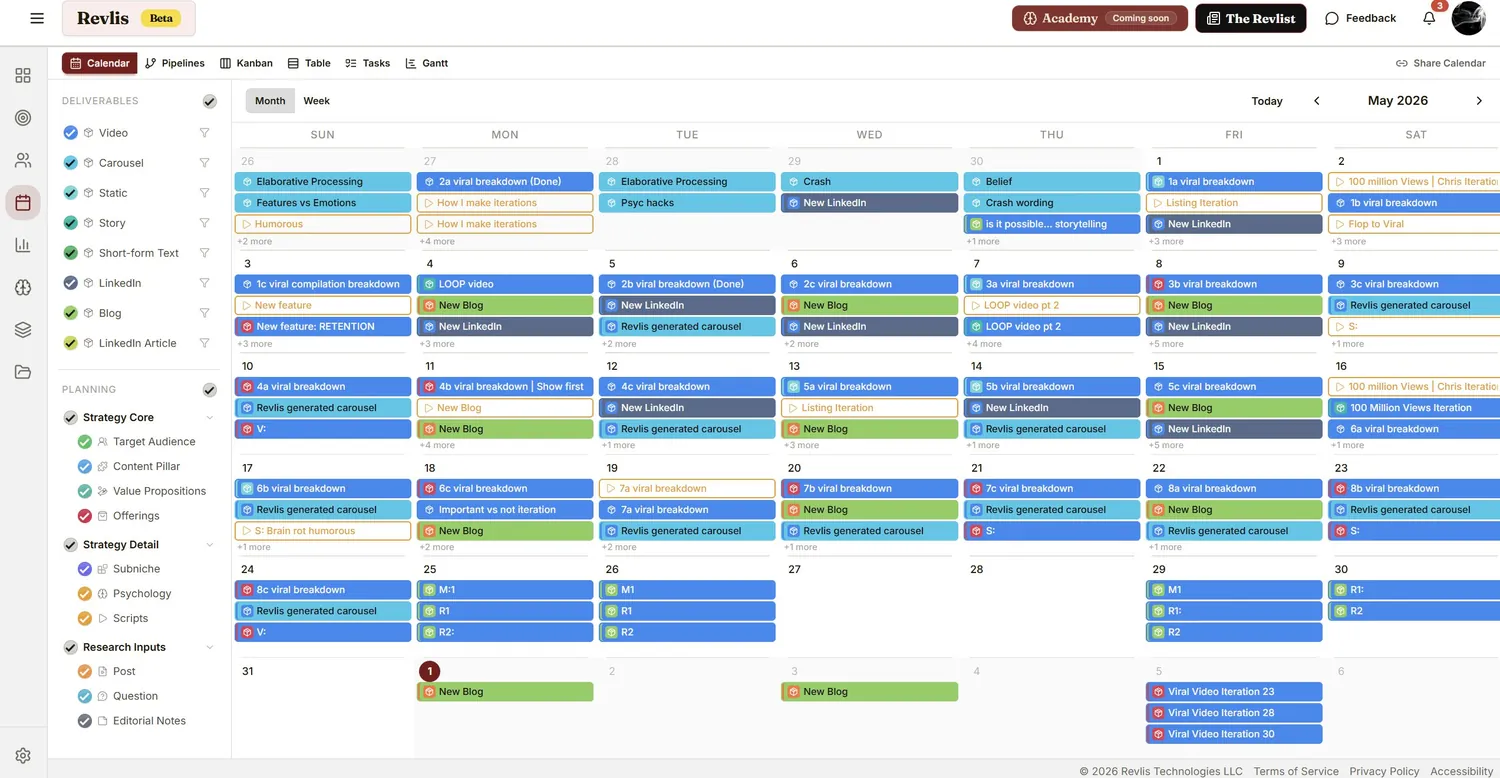
Calendar. The visual month, with separate due and post dates and toggle layers for deliverables and planning.
Plan it, then ship it.
Use a preset pipeline or build your own, then work each deliverable from idea to posted.
Build the pipeline. Start from a preset or create your own. Add, reorder, and time stages, and toggle client approval on or off at any stage.
Work the deliverable. Move it through each stage with assets, a caption, notes, and a script you can generate in one click.
Share a link. Skip the login.
Hit Share Calendar and hand off the right level of access for each person.
- Team share link for full collaboration across your calendar.
- Editor access for the people who build alongside you.
- Client view, no login required. They add their name, approve or reject deliverables, and leave comments.
- Full client separation. Strategy, research, planning, scripts, and analytics stay apart, so sharing one client never exposes another.
This isn't just another drag-and-drop calendar.
The features that make it strategic.
Strategy-Connected Planning
Every entry links back to your brand strategy. The calendar shows what each post is for, not just when it goes out.
Pillar Distribution
See how your content spreads across your pillars. Posting 80% educational and ignoring conversion? The calendar makes those gaps obvious.
Content Layering
Combine audience, pillar, question, and value prop on a single slot. Layering turns one idea into many: intention instead of filler.
Laboratory Integration
Jump from any slot into the script generator with your strategic context already loaded. Finished scripts return on their own.
Project Organization
Group related content into projects (a launch, a seasonal series, a collaboration) so nothing gets lost across a busy month.
Due vs. Post Dates
Track when a deliverable is due separately from when it publishes, so production deadlines never get confused with go-live dates.
The calendar connects to everything.
It's one part of a full system that runs the whole workflow: strategy, research, planning, creation, and iteration.
Brand Strategy
Competitor Research
The Laboratory
Brand Analytics
Frequently asked
The Revlis content calendar is a strategic planning tool for social media managers that connects every scheduled post to a brand strategy. Each slot carries a content pillar, a target audience, and a psychology tactic, so the calendar shows the purpose behind each post, not just the date.
Content layering is stacking strategic inputs onto a single planned post. You combine Strategy Core layers like target audience, content pillar, value propositions, and offerings with Strategy Detail and Research Inputs. Layering lets you turn one idea into many: running the same focus question across different audiences, or the same audience across different angles.
Yes. From any calendar slot you can open the Revlis Laboratory, the script generator, with your strategic context already loaded, including audience, pillar, focus question, and value proposition. You generate the script, edit it, and it attaches back to the calendar slot automatically.
Yes. Revlis calendars are shareable by link with the Share Calendar option, and clients get a no-login view where they add their name, approve or reject deliverables, and leave comments. Those approvals and comments flow straight back into your pipeline.
Six views: Calendar for the visual month layout, Pipelines for production stages, Kanban for drag-and-drop stage management, Table for grouping and filtering, Tasks for a prioritized to-do list, and Gantt for a timeline of every deliverable.
Planning is deciding what to post: the outlined slots on your calendar. Deliverables are the actual assets being produced, shown as filled colored cards moving through a pipeline. You can toggle each layer on or off.
Your calendar should reflect your strategy.
Start planning content that has a real purpose behind every post.